Edit entry
Your rating
Date watched / read / listened
Cover image
iPhone (iOS): Open rezens.app in Safari. Tap the share icon at the bottom of the screen, then scroll down and tap Add to Home Screen. Tap Add in the top right. Rezens will appear on your home screen like an app.
Android: Open rezens.app in Chrome. Tap the three-dot menu in the top right corner, then tap Add to Home screen. Tap Add to confirm. Rezens will appear on your home screen and can be moved like any other app.
Tap the + button at the bottom to open the log sheet. Choose a category (Movie, Series, Book, or Album), type in the search field and tap Search.
Select a result from the list. Set your star rating (half stars supported), pick the date, and optionally upload a custom cover image. Tap Add to log to save.
The same title cannot be added twice to the same category.
If a title does not appear in the search results, you can type it manually into the search field without tapping Search. Then set your rating, pick a date, optionally upload a cover image, and tap Add to log to save it as a custom entry.
To edit an entry, tap its card to open the detail view, then tap the pencil icon. You can update the rating, date, and cover image.
To delete, open the detail view and tap the × icon. You will be asked to confirm.
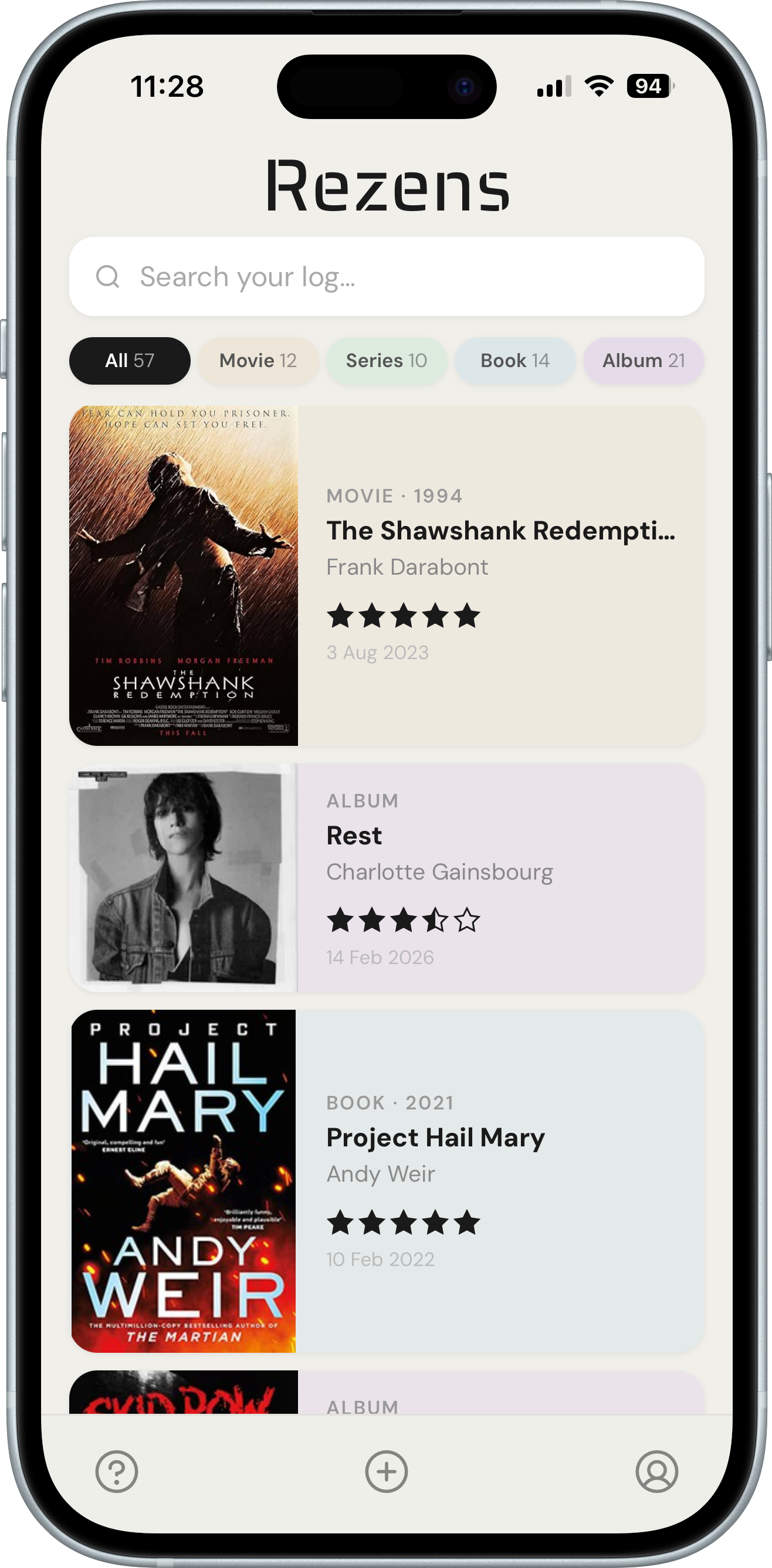
Use the filter pills at the top to show only Movies, Series, Books, or Albums. Tap All to see everything.
Use the search bar to quickly find an entry by title or artist/author name.
Tap any card to open its detail view with plot, cast, tracklist, genre, runtime, and more depending on the category.
Your log is saved to your account and syncs across all devices.
Tap the profile icon at the bottom right to access your account. From there you can export your log as CSV or PDF.
Delete all data permanently removes all your entries. Your account stays active. Use Sign out to log out.
Have a question or found a bug? Reach out at hello@rezens.app and we'll get back to you as soon as possible.
Rezens v1.0 · May 2025
 Rezens
Log what you watch, read & listen to.
All in one place.